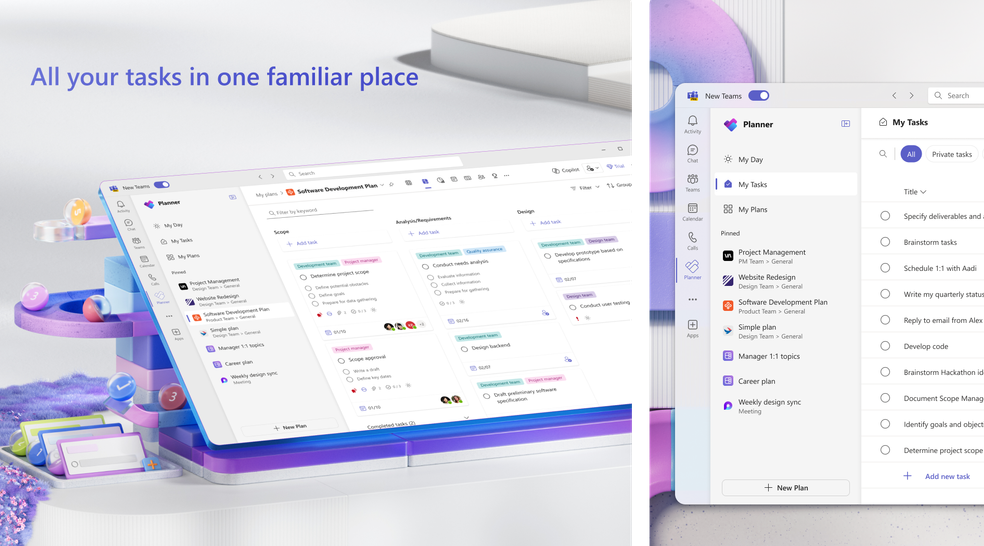

๐ฏ No fluff. No slides. Just hands-on training + consulting tailored to your real-world challenges with Microsoft Project for the Web (New Planner)
โ Ideal for users of:
-
-
PMs & Planners using Project for the Web |Teams rolling out Project Accelerator | Organisations stuck between Planner, Project Online, Excel & PowerPoint
-


๐ก Whatโs inside:
Understand structure: Groups, Projects, Tasks, Roadmap
Use Power Platform tools (Power BI, Power Apps) to enhance visibility
Plan real projects โ get step-by-step guidance only when needed
Eliminate confusion โ Immediate clarity & control
๐ง Training + Consulting in ONE session:
โ๏ธ 2 hours via Microsoft Teams
โ๏ธ Up to 6 participants
โ๏ธ ยฃ500 (or 600 EUR) flat rate
โ๏ธ No waiting, no sales pitch โ just results
โWe saved hundreds of hours of trial-and-error in just 4 hours.โโ Group BEL, France

๐ Delivered by certified Microsoft Trainer and PMP professional
You tell us whatโs not working, we fix it together during a live session. You learn exactly whatโs needed โ nothing more, nothing less
๐ข Hear what our clients say:
They trust us


Very good training
Munier Killian
FOURE LAGADEC
Trรจs bonne formation, pratiqueย ย
Danut Tuchel
DAMEN SHIPYARD
All training topics covered, detailed explanations given with clear examples, comprehensive training documentation provided. the training method and step-by-step pedagogy are good. training program carried out in accordance with the program schedule, including additional exercises and question-and-answer exchanges on specific topics.
JEAN NGUYEN,
ALSTOM TRANSPORT
Complete training with a concrete example of project planning. Lots of topics covered. Response received to all questions asked. To improve: deepen the basics before proceeding further with less used functionalities
Chaoual
ALSTOM
Enriching training
Leblond Thomas
FOURE LAGADEC
๐ Project for the Web โ 2-Hour Practical Training
Fast. Focused. Hands-On.
This live session is designed to help your team plan efficiently and confidently using Microsoft Project for the Web and Project Accelerator โ without wasting time on theory or slides.
Training Agenda
-
Understand how Project for the Web fits into Microsoftโs project ecosystem
-
When to use Project for the Web, Project Online, or Planner
-
Create a Microsoft Teams group
-
Add files, calendars, and events
-
Create a project using Project for the Web
-
Connect the project to your Teams environment
-
Define the schedule: tasks, WBS, durations, dependencies
-
Create task stages (subtasks)
-
Attach documents directly to tasks
-
Use Copilot to assist with schedule building
-
Organize tasks using Buckets
-
Apply labels for filtering and grouping
-
Use conditional formatting to highlight task criteria
-
Set project goals
-
Assign team members to tasks
-
Highlight the critical path
-
Save the project baseline
-
Export to PDF and Excel
-
Update tasks and check progress
-
Identify delayed activities using filters
-
Generate reports using Project for the Web tools
โ Key Info:
ย Duration: 2 hours (live via Microsoft Teams)
-
Participants: Up to 4 people
-
Format: Training + consulting based on your real project files
-
Rate: ยฃ500 / 600 EUR
-
Delivery: English or French
-
Target audience: PMs, Planners, and Teams using Microsoft 365
๐ฏ No slides. No theory. Just results.
Hear from our satisfied clients
๐จ๏ธ โThis training changed how we manage projects โ in just 2 hours.โ
โ Group BEL, France
โItโs consulting and training in one. We fixed our problems and finally understood how to use the tool.โ
โ Senior PM, Engineering Firm
๐จ๏ธ โItโs training that actually solves problems.โ
โ PMO Lead, UK
0
+ years of activity in project planning and reporting
>
0
trained participants
client's satisfaction
0%
multicultural and international experience
0
+ millions cumulated value of planned projects

Certified Project Management Consultants Project Management Institute

Certified Project Management Consultants Microsoft

Member Microsoft Partner Network
๐ Ready to book?
๐ Drop us a message with your challenge โ weโll fix it and show you how itโs done.
Submit your review | |
1 2 3 4 5 | |
Submit Cancel | |
Create your own review
ecostar plan
Average rating: 1 reviews
Frederic-PMO -Group Ampere
Feb 13, 2026
by Frederic-PMO -Group Ampere
The trainer had an excellent command of Microsoft Planner (Project for the Web). The session was quick, very practical, and focused exactly on what we needed. A great hands-on experience โ clear, efficient, and immediately applicable
Powered by WP Customer Reviews